
Let’s see how you can open your NPS account online with the help of your Aadhaar card.
Keep in mind that you cannot open two NPS (National Pension Scheme) Tier-I accounts (ie two PRANs). If you have opened two NPS accounts by mistake, then you have to close one.
Ways to open NPS account Online
- You may visit online portal like ICICIDirect to open an NPS account.
2. You can go to eNPS website and open your account in two ways:-
- Using a combination of PAN and bank account details.
- Using your Aadhaar card
In this post, we will discuss the process of opening an NPS account using Aadhaar card through the eNPS portal.
How to open NPS account using your Aadhaar?
Step 1: Go to eNPS portal. Select National Pension System option, a registration popup will shown on screen.
Click on Registration button option.
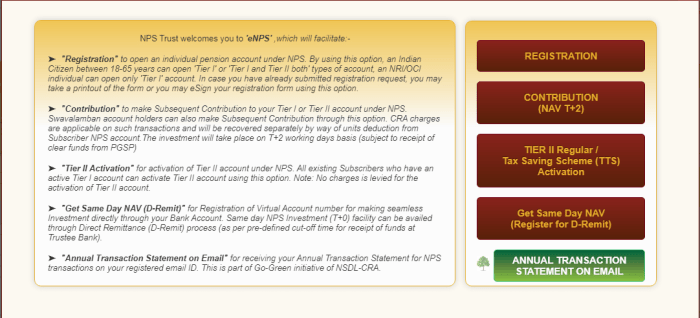
Step 2: A new registration page will be opened, choose ‘Aadhaar Offline e-KYC’ method and Account type ‘Tier 1 only.’
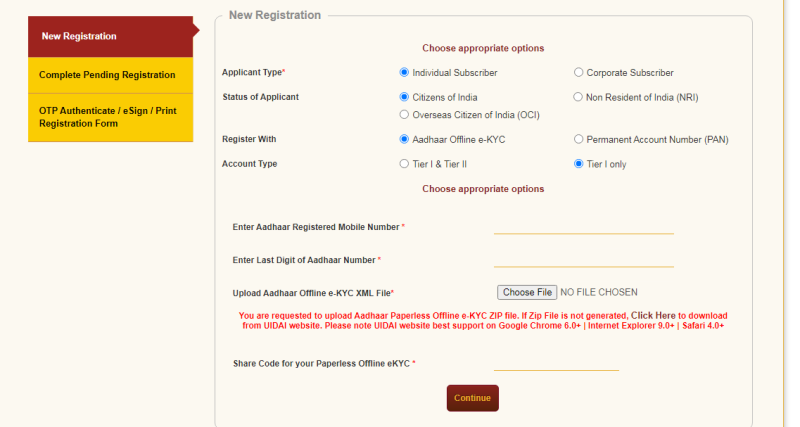
Now enter your Aadhaar registered mobile number and last digit of your Aadhaar card number.
Step 3: Here you need to upload Aadhaar e-KYC XML file.
To download Aadhaar XML file. Click the given download option, or visit directly by this link (https://resident.uidai.gov.in/offline-kyc)
Here you need to enter your aadhaar card number and complete the OTP process.
Enter paperless offline eKYC code here, it could be any 4 digit number. Same number you need to mention on nps registration form. Then click to continue button.
Step 4: After this, a lot of information will be automatically filled with your Aadhaar information. Enter personal, contact, bank account and nomination details.
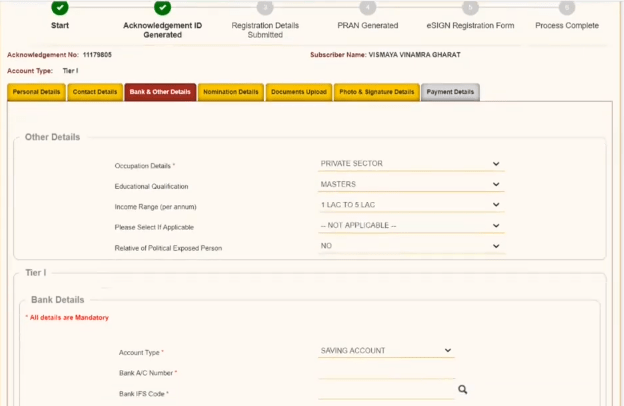
After filling in all the information, click to ‘Generate Acknowledge Number’.
Must note down your acknowledgement number.
Step 5: Upload signature and photo. Photos from Aadhaar card will be uploaded by default. If you want, you can upload a different photo. You will also need to upload a copy of your signature. You can sign on a blank page. Take a photo or scan and upload the signature.
Step 6: You can go ahead and make an initial contribution. The minimum contribution is 500 rupees. You can pay by net banking, debit card or credit card. Your PRAN will be generated instantly.
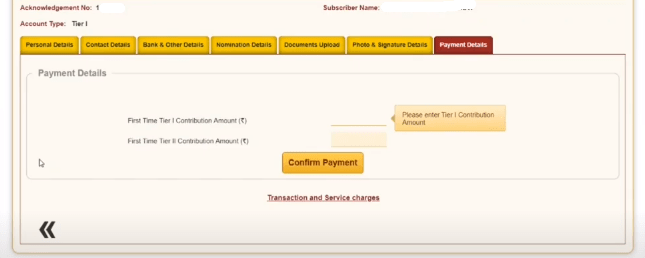
Note that PRAN will only be generated when you invest money.
Step 7: The process is still not completed. Now you have two options to complete your application.
- You have to take a printout of this application form created online and send it to the CRA. The form should reach the CRA within 90 days, otherwise, your account will be frozen. The account will be reactivated upon receipt of the form.
- Or you can also e-sign your form with the help of your Aadhaar registered mobile. In such a situation, you do not need to take the print and send the form.
Read These:
NSP Renewal 2021 – National Scholarship Portal Renewal Process
How to Make Ayushman Card Online
UP Sewayojan Registration 2021 – Rojgar Mela
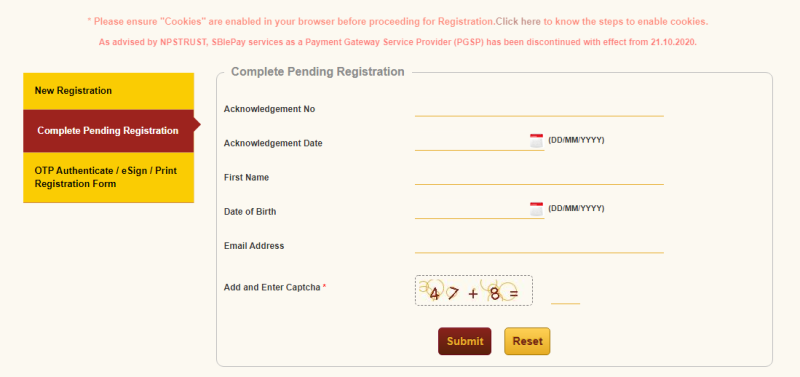
Although the whole process does not take much time, you can fill the form several times using the acknowledgment number. The acknowledgment number will be sent to you after you enter the OTP (one-time password). So, if you cannot complete the process in one sitting, you can save the form and complete the registration later.